progress
analytics
readiness
study-plan
dashboard
How to Read Your Progress Dashboard
Understand the progress, readiness, and recommended study signals inside Vantrel so you can turn metrics into better study decisions.
Vantrel Help TeamJuly 24, 2026 5 min read
How to Read Your Progress Dashboard
What the dashboard is for
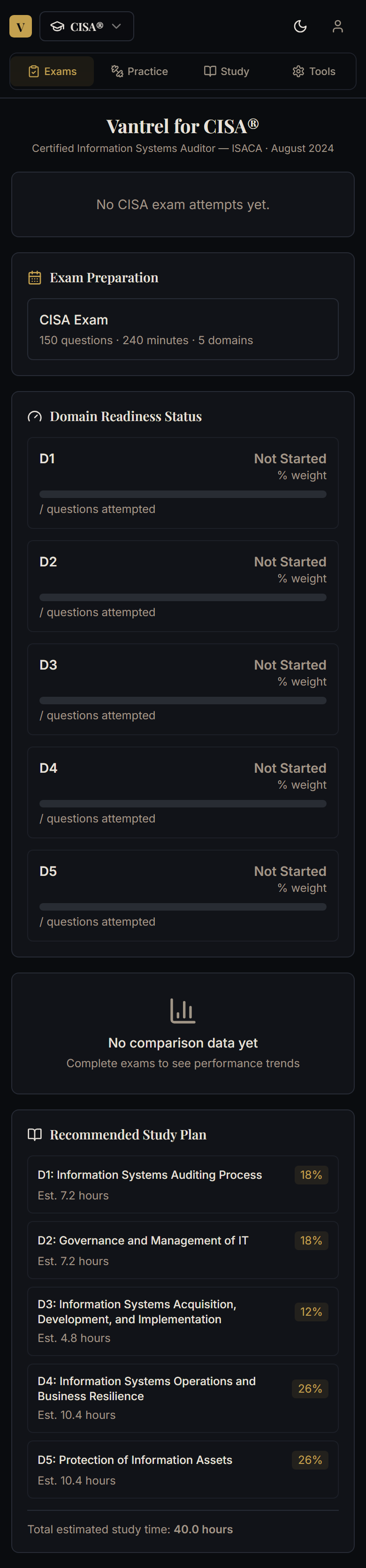
The progress dashboard helps you answer what is strong, what is weak, and what you should do next.
The signals to watch
- Domain readiness.
- Recommended study plan.
- Activity and weak-area trends.
How to use it after a study session
- Check the weak or not-started domains.
- Compare those against the recommended study plan.
- Choose the next task based on the most useful gap.
How to use it after a mock exam
Review the weak domains first, then move to Practice if the problem is drilling and to Study if the problem is concept understanding.
If the dashboard looks empty
That usually means you have not completed enough activity yet or the path is too new to show meaningful signals.
Related guides
Keep building exam readiness
If this article helped clarify the path, the next step is to turn insight into practice. Explore the platform, choose your exam track, and start preparing with structure.